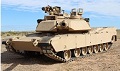
Okay I have another head scratcher for you.
So a while back the last time I was running my tank, everything seemed fine and it died on me suddenly, not sure why, took it back to the house, couldn’t get it to turn back on. Long story short, I think that the battery just died on it.
Fast forward, I charge it up, go to drive it and now the driving is al funky. I can only drive forwards or backwards, or neutral steering. I cannot steer left or right while going forwards or backwards.
First I check the dual motor ESC, but when plugged into the RX directly it behaves as expected (channel 1 is the left track only, channel 2 is the right track only).
When I turn the built in mixer on on the dual motor ESC, that also behaves as expected, I can turn left and right HR when going forwards or backwards, I can also neutral steer.
Next, I turn the mixer on the dual motor ESC off so each track is controlled by a different channel, (1 and 2) plug them back into the TCB, and I still have my original problem, no steering except for neutral turn.
Here is som other information:
The channel outputs on my controller are behaving as expected (channel 2 is acceleration, channel 1 is steering, outputs are not reversed, no special curves, outputs at 100%)
In OPCONFIG:
Radio Tab:
In the TCB the stick order is
Throttle: 1
Steering: 2
Motor Tab:
Vehicle Type: Tank (Dual drive motors)
Drive Motors: RC Output
Driving Tab:
Turn Mode: 3
Neutral Turn Allowed: checked
Max Neutral Turn Speed: 40%
And here’s the really fun part
Firmware Tab:
Snoop:
When I drive forwards or backwards, snoop will say “Neutral Turn”
When I neutral turn to the left or right it will say “Moving Forward” or “Moving Reverse”
If I then switch the throttle and steering inputs on my TX without exiting snoop, when I go to push the stick up to accelerate it will now say “Moving Forward” but the tank will now table turn. When I table turn snoop will say Neutral Turn” but the tank goes forwards or reverse.
Also, either way I switch it, the neutral steer speed doesn’t seem to be limited at all, like it’s set to 100% instead of 40%.
I’m kind of at a loss as to what to try next to troubleshoot this. I feel like I hadn’t done anything different to the tank to cause this to happen that I know of, it just sort of popped up out of the blue. Because I can get the ESC mixer to work fine and no matter what I do with the TX I can’t seem to fix it, I feel like the issue lies with the TCB mixer?
Let me know if you have any suggestions. Right now the only thing I can think of to do is to completely bypass the TCB for the drive ESCs.
Also, I haven’t had a chance to mess with switching the lighting wiring around, so nothing has been changed or switched around.
Again, let me know if you have any ideas or see something that I don’t. Thanks for you help!
Unexpected issue with steering on OpenPanzer TCB

Re: Unexpected issue with steering on OpenPanzer TCB
Hi Jib, the first thing I'd recommend you try is to once again go through Radio Setup in OP Config. You should be able to confirm through that process that OP Config is recognizing your throttle and steering channels in the correct locations, and that the direction of the sticks matches what it should (forward/reverse or left/right). See the video on Radio Setup if you need a reminder on how to do that.
If the your sticks are not mapped to the correct channels, change them in OP Config (by changing the selection in the Channel Order drop down), rather than on your transmitter.
When what you see on the OP Config Radio Setup screen matches what you are doing with the sticks on your transmitter, and you have saved centers and end points, then if there remains a discrepancy in how your tank moves, the reason is that you need to swap the polarity of (one or both of) your motor wires to the speed control.
If the your sticks are not mapped to the correct channels, change them in OP Config (by changing the selection in the Channel Order drop down), rather than on your transmitter.
When what you see on the OP Config Radio Setup screen matches what you are doing with the sticks on your transmitter, and you have saved centers and end points, then if there remains a discrepancy in how your tank moves, the reason is that you need to swap the polarity of (one or both of) your motor wires to the speed control.
NO SUPPORT THROUGH PM - read why
Re: Unexpected issue with steering on OpenPanzer TCB
So in the mean time I found a work around where I run the ESC directly to the PWM side of the RX, use that mixer, send the acceleration signal to PROP1 on the DasMikro, and send power to the PWM side of the RX from the same line from the TBS that powers the SBUS side of the RX.
So I am essentially bypassing the TCB for acceleration and steering, but I still get driving sound from the DasMikro. I’m still using the engine on switch via the TCB for the sound, but now I’m using that same switch as a lock to keep the tank from driving unless the “engine is switched on”. So the function is similar. For some reason it seems like the tracks are moving faster than with the TCB, but I’m basing that off of sight and sound since it’s up in a lift right now.
I’ll try running through the radio setup again, but I’m going to try to play around with it set up like this first and see how it functions. Thanks for the suggestion, I’m not sure why I didn’t already trying running through radio setup again. When you save your settings to a file, does it save the radio settings as well or not? Every time I change my settings I make a new copy, so I have plenty of back ups.
So I am essentially bypassing the TCB for acceleration and steering, but I still get driving sound from the DasMikro. I’m still using the engine on switch via the TCB for the sound, but now I’m using that same switch as a lock to keep the tank from driving unless the “engine is switched on”. So the function is similar. For some reason it seems like the tracks are moving faster than with the TCB, but I’m basing that off of sight and sound since it’s up in a lift right now.
I’ll try running through the radio setup again, but I’m going to try to play around with it set up like this first and see how it functions. Thanks for the suggestion, I’m not sure why I didn’t already trying running through radio setup again. When you save your settings to a file, does it save the radio settings as well or not? Every time I change my settings I make a new copy, so I have plenty of back ups.